


Ergonomic Mouse Pad with Wrist Rest
Ergonomic Mouse Pad with Wrist Rest
BUNDLE & SAVE
Couldn't load pickup availability
-
Ordered
- - -
Order Ready
- - -
Delivered

Ergonomic Mouse Pad with Wrist Rest
Short Description
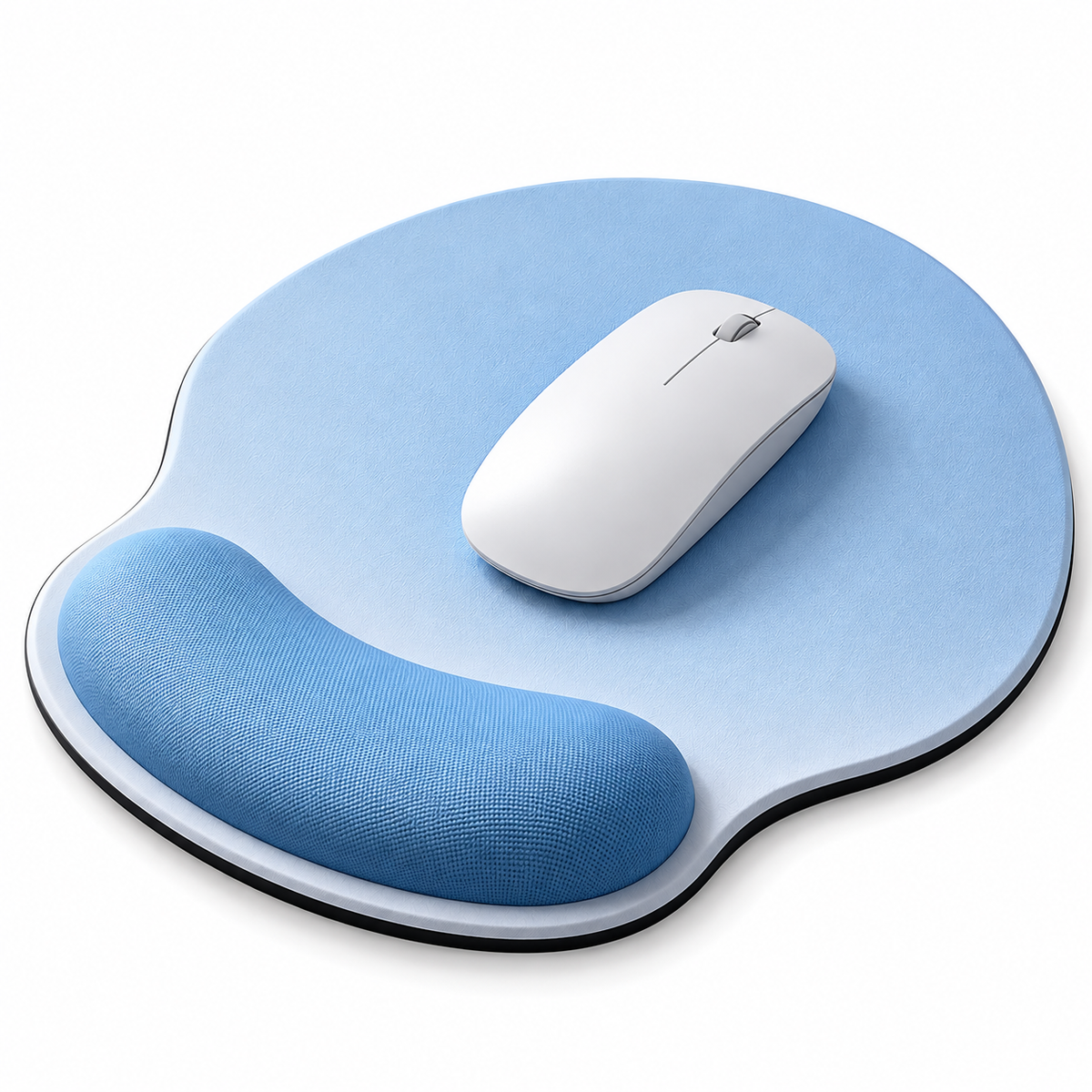
Designed for everyday computer use, this ergonomic mouse pad combines a spacious mouse surface with a raised wrist support area. Its contoured shape helps create a more comfortable desktop setup for work, study, browsing, and other daily mouse tasks.
Key Benefits
1. Raised Wrist Support → More Comfortable Hand Positioning
The integrated raised support provides a dedicated resting area for the wrist, helping create a more comfortable position during everyday mouse use.
2. Ergonomic Contoured Shape → Better Everyday Desk Comfort
The curved design follows the natural working area around the hand and wrist, making it practical for office and home computer setups.
3. Spacious Mouse Area → More Room for Daily Movement
The broad mouse surface provides room for common cursor movements during work, browsing, study, and general computer use.
4. Integrated One-Piece Design → Cleaner Desktop Setup
The mouse surface and wrist support are combined in one unit, reducing the need for a separate wrist pad.
5. Compact Desktop Format → Easy to Add to Workspaces
Its practical size and rounded shape make it easy to place beside a keyboard on office desks, study tables, or home workstations.
Product Details
-
Ergonomic mouse pad with integrated wrist rest
-
Raised wrist-support section
-
Rounded contoured shape
-
Spacious mouse movement area
-
One-piece desktop design
-
Suitable for everyday computer use
-
Designed for office, study, and home workspaces
Product Information
-
Product Type: Ergonomic Mouse Pad
-
Design: Integrated Wrist Rest
-
Shape: Contoured / Rounded
-
Color: Light Blue
-
Material: Not confirmed from the provided image
-
Filling Material: Not provided
-
Bottom Material: Not provided
-
Dimensions: Not provided
-
Thickness: Not provided
-
SKU / Variant: Not provided
Best For
Ideal for office desks, home workstations, study areas, computer setups, remote work, browsing, and other everyday mouse-based tasks.
How to Use
Place the mouse pad flat on your desk with the raised section positioned closest to your wrist. Place your mouse on the main surface and rest your wrist naturally on the raised support while working or browsing.
Collapsible row
Collapsible row


Custom columns
Use the flexible grid system to create any layout. Each block can be placed in any of the columns.
Image/Video Slider
Content heading
Pair icons with content to focus on your chosen product, collection, or blog post. Add details on availability, style, or even provide a review.